
Certinal eSign for SharePoint
Boost your team’s productivity, expedite document turnaround times, and impress customers with a seamless signing experience.
Secure legally-binding eSignatures seamlessly within SharePoint, without the need to switch applications
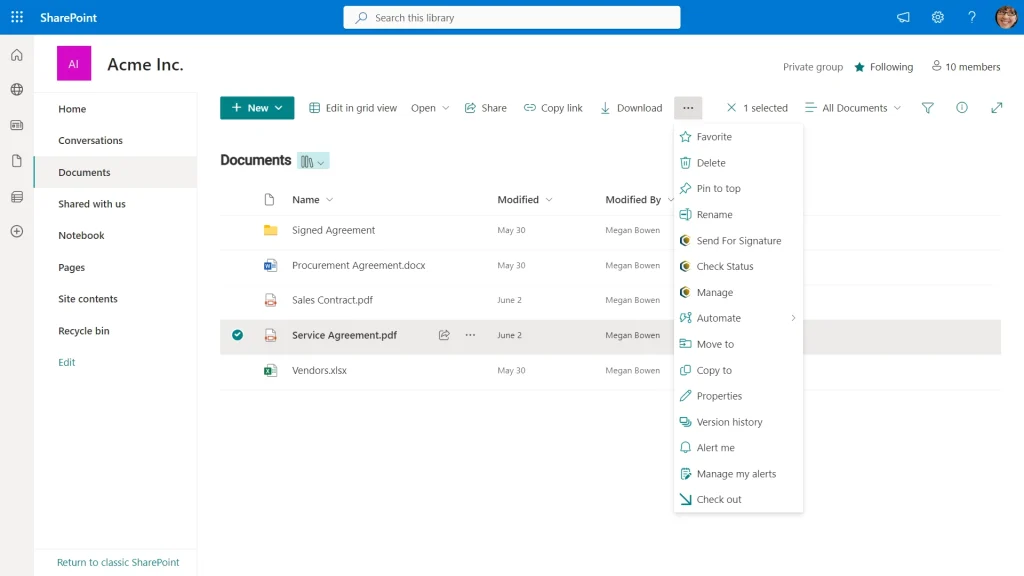
Send Documents Anytime, Anywhere
Experience the convenience of Certinal’s document signing. Send documents for signing from any SharePoint library effortlessly.
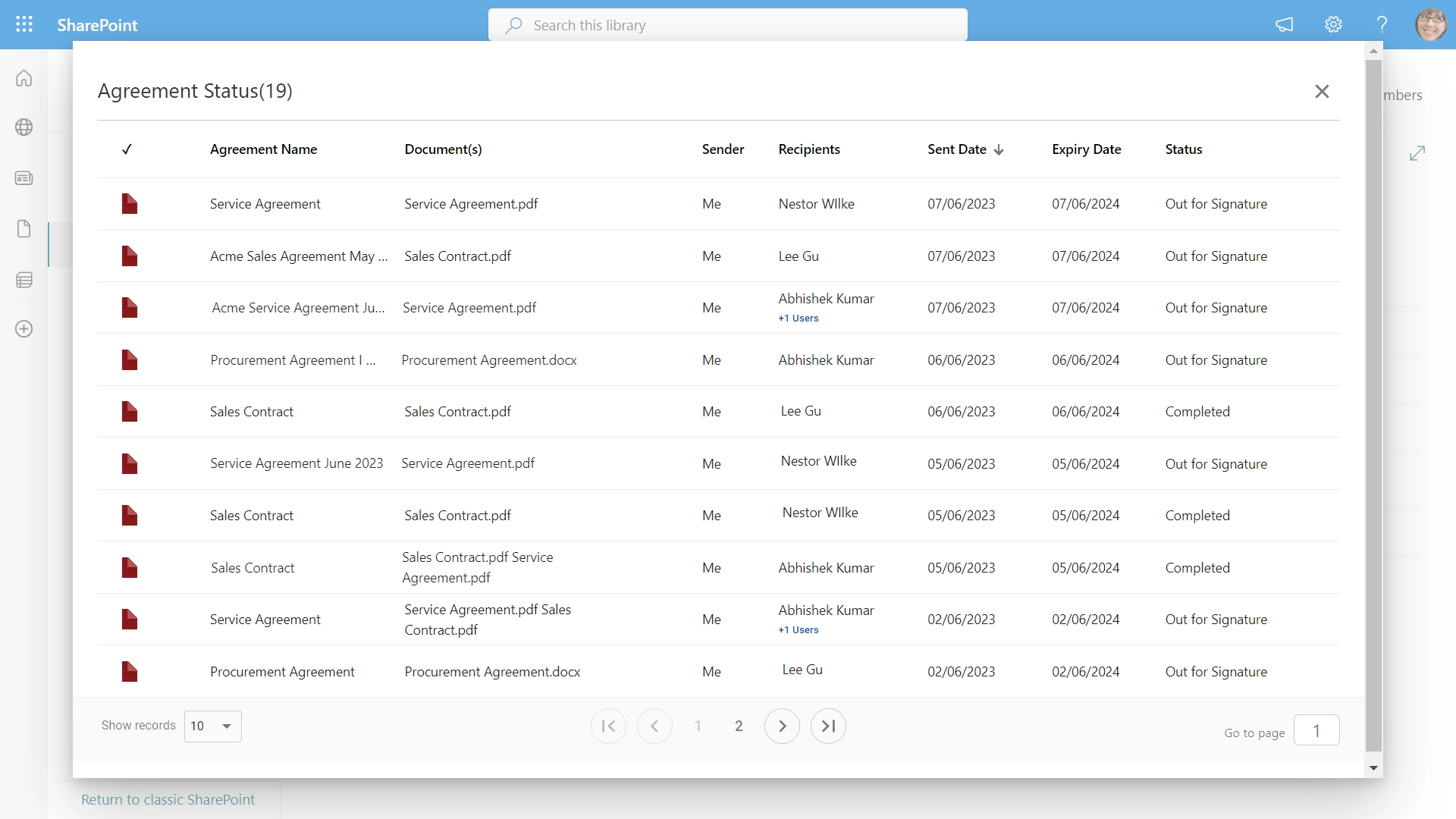
Track Transactions in Real-Time
Monitor the status of signature workflows directly within SharePoint. Stay updated with real-time tracking.
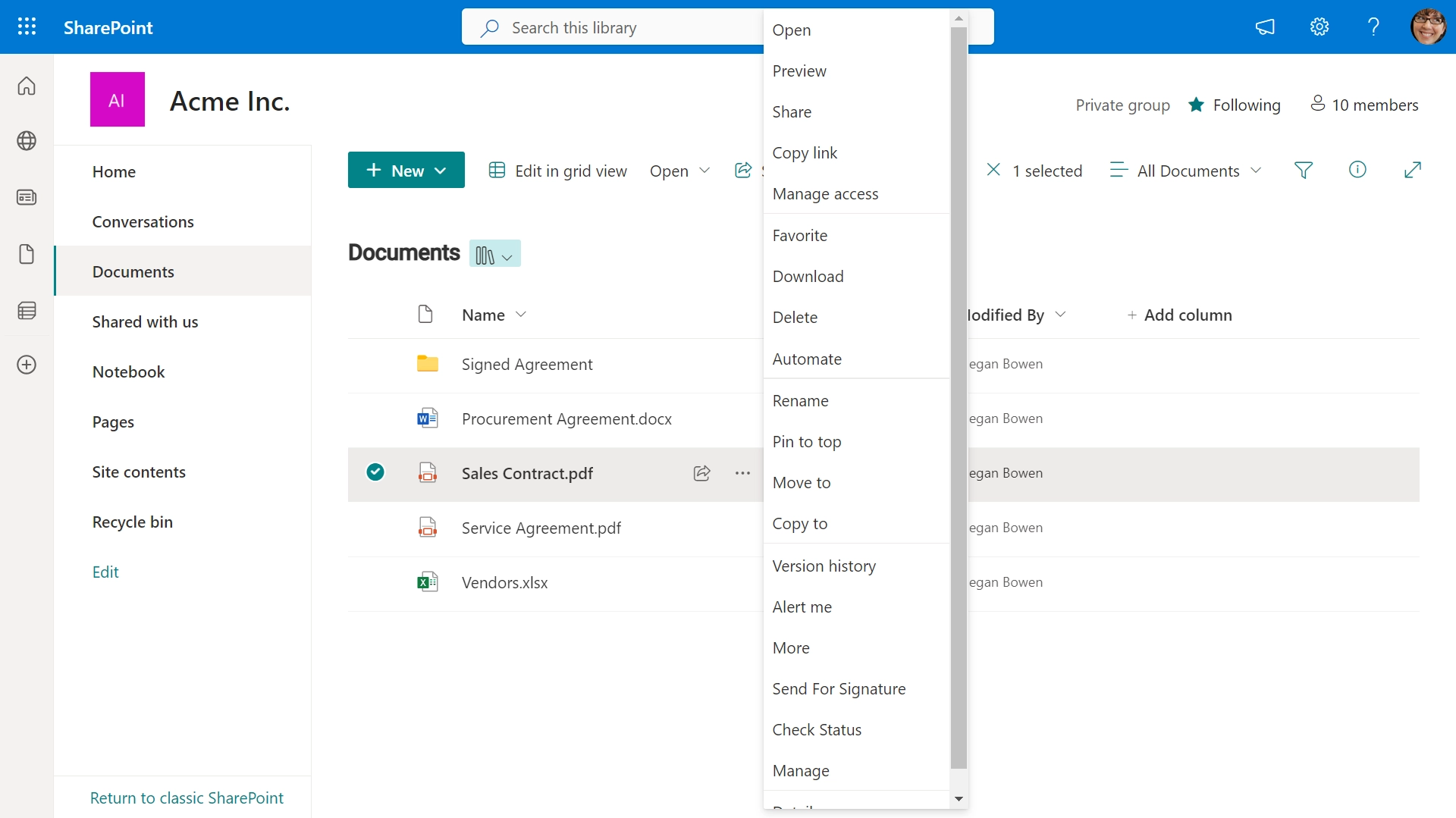
Effortless Workflow Management
Manage workflows effortlessly. Remind, cancel, and sign pending agreements. Effortlessly oversee all transactions.
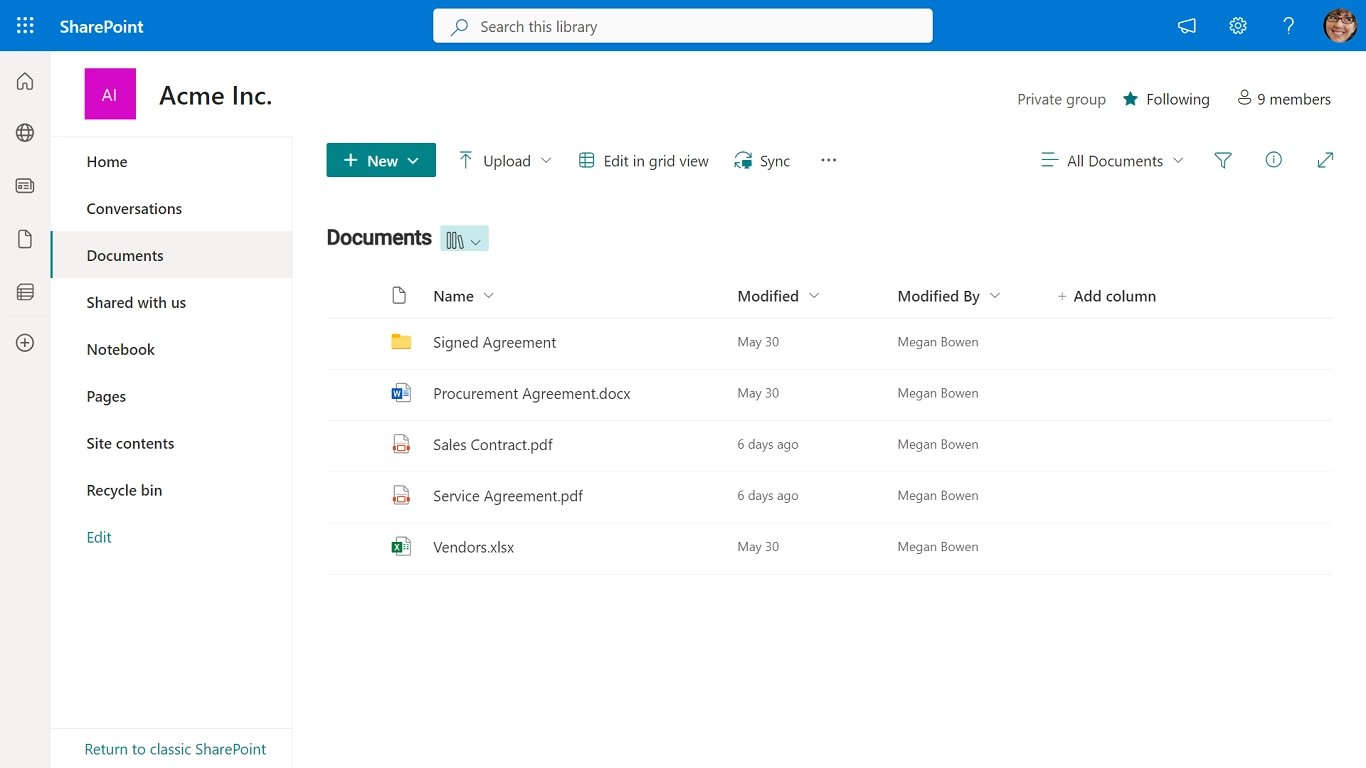
Instant Access to Signed Documents
Access signed documents instantly in the designated “Signed Documents” folder. Certinal keeps it up to date for you.


















Achieve greater efficiency with Certinal for SharePoint enabling you to accomplish more.

Remain within SharePoint's ecosystem
Effortlessly sign and share documents from SharePoint, with automatic saving for easy access.

Exceed customer expectations
Sign and submit legally-binding documents effortlessly on any device, no extra software required.

Enhance efficiency
Enhance data collection with customizable fillable fields, ensuring accuracy and efficiency.

Stay informed and connected
Instantly track document signing via email and in your Certinal account.
HOW TO INSTALL CERTINAL APP FOR SHAREPOINT
Integrate Certinal with SharePoint online effortlessly using six simple steps.
In your SharePoint library, go to Settings > Add an App.
Go to Your Apps page and select SharePoint Store.
Find Certinal in the SharePoint Store. Filter results by typing ‘Certinal’ in the search box.
Click the Certinal icon. On the Certinal app page, click REQUEST IT.
Select if you’d like to install Certinal for specific users or for your entire organization. Click Request.
Once the administrator of your SharePoint site approves your request, the Certinal app will appear on the Site contents>Your Requests page. Click App Details>Add it. Read the Terms and Conditions and the Privacy Statement. Click Trust it to install the Certinal app.
Questions & Answers
Boost efficiency by automating workflows within SharePoint, enabling employees to work more productively within a single platform.
Need Help? Contact Support
How do I connect SharePoint and Certinal?
Find Certinal in the SharePoint store and add it to your SharePoint library. The Certinal app will appear on the Site contents>Your requests page. Click App Details>Add it. Read the Terms and Conditions and the Privacy Statement. Click Trust it to install the Certinal app.
How do I send a document for signing from SharePoint?
Right-click on your document and select Send with Certinal from the dropdown. Add as many signers as you need, create and assign roles, and set up a signing order. Don’t forget to add fillable fields to make your document easy to complete.
Do my signers need to create a Certinal or SharePoint account?
No, they don’t. Your recipients can sign and submit your document in seconds on any desktop or mobile device.
How many signers can I add to my document?
Add as many signers as you need. Make the signing process even more efficient by assigning roles and fillable fields to each recipient.
How do I know my document needs to be signed?
Once your document has been signed, you’ll get an instant email notification. Also, you can check its status in your SharePoint account. Go to the Documents library and click the menu button on the upper panel. Select Check Document Status and view the status of a document in your Certinal account.
How can I check if my document has been signed?
You’ll receive an email notification once your document has been signed. Before sending a signature request, you can also set automatic reminders and an expiration date so your recipient doesn’t forget to sign your contract.
Discover More Certinal Features and Integrations

Improve your organization’s productivity
Sign and send documents for signing in a role-based order from your system of record.

Get work done in one place
Pre-fill documents with SharePoint data and save executed documents in SharePoint.

Ensure compliance and security
Certinal protects your data with industry-leading compliance and security standards.
By clicking “Submit Request” I agree to receive marketing communications from Certinal in accordance with the Terms of Service and Privacy Notice.